 how-to
7 Mini Split Remote Control Settings Every Owner Should Know
Last Updated: October 31, 2026
Quick Summary
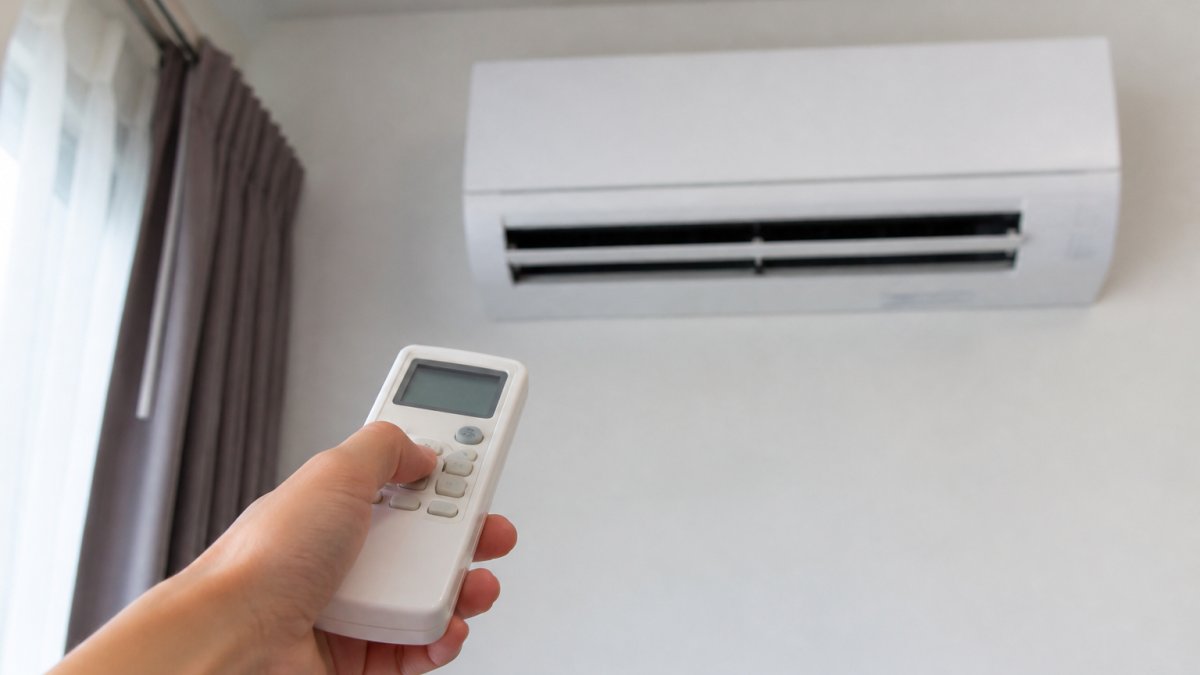
Your mini split remote controls five core buttons: Power, Mode, temperature arrows, Fan, and Swing. Press Mode to cycle through Cool, Heat, Dry, Fan, and Auto, then set a steady temperature and let the inverter hold it instead of adjusting constantly. The remote must have line of sight to the indoor unit for its infrared signal to land.
- The number on the remote screen is the target temperature, not the room temperature.
- For daytime cooling in an occupied room, set 74-76°F with fan on Auto.
- Timers are stored in the remote, so a battery change erases the schedule.
- Weak batteries are the top cause of a mini split remote not working.
- In heating, aim the louvers down because warm air rises.
Table of Contents
- Mini Split Remote Symbols and Meanings Decoded
- How to Set Operating Modes: Cool, Heat, Dry, Fan, and Auto
- The Best Temperature Setting for a Mini Split
- Adjusting Fan Speed, Swing, and Airflow Direction
- Mini Split Remote Timer Setup for Daily Comfort
- Mini Split Remote Not Working? Troubleshooting Steps
- Sleep, Eco, Turbo, and Follow-Me Features Explained
- When Remote Settings Can't Fix It: Getting Professional Help
- Frequently Asked Questions
Mini Split Remote Symbols and Meanings Decoded
Most mini split problems we see at Air CareSaver start with a misread remote. The guide below explains every button and icon, so you can stop guessing and start getting the comfort you paid for.
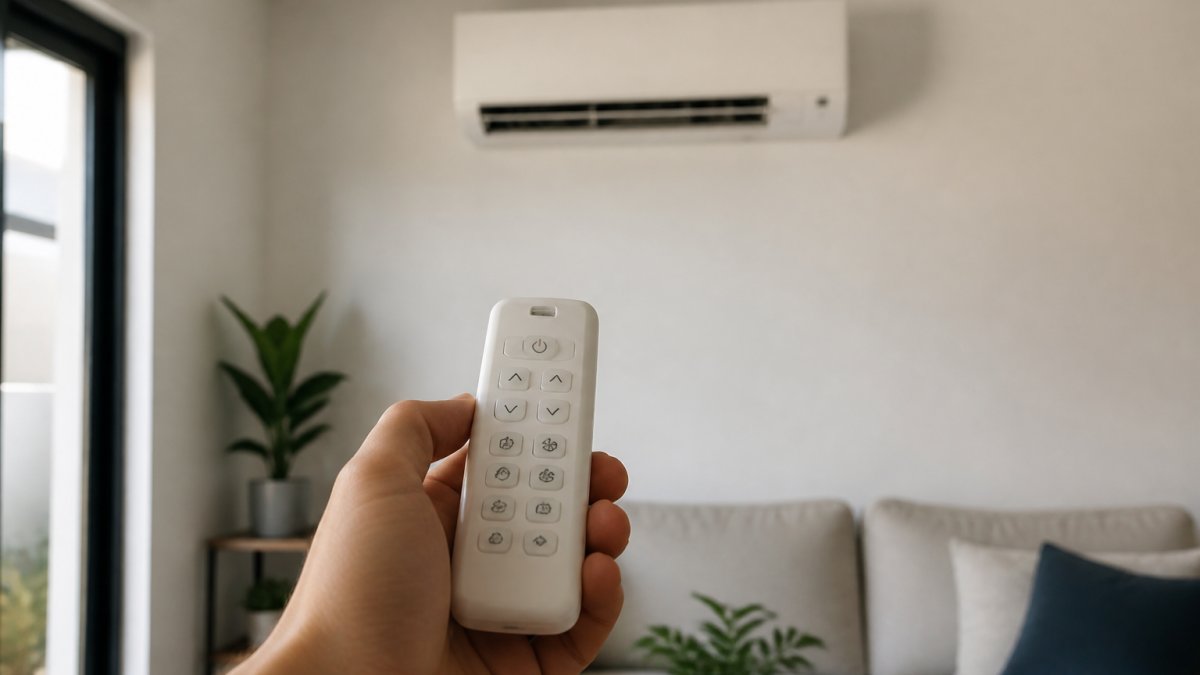
The Core Buttons You'll Use Every Day
Five buttons do most of the work. Learn these and you can run the system without looking:
- Power (on/off): turns the indoor unit on and off. It does not cut power at the breaker.
- Mode: cycles through Cool, Heat, Dry, Fan, and Auto.
- Temperature arrows: raise or lower the target temperature, usually one degree per press.
Some models also use a small recessed reset button, often labeled "Reset," that clears settings.
Display Icons and What They Signal
The screen tells you what the unit is doing right now. A snowflake means Cool, a sun means Heat, a water drop means Dry, a fan blade means Fan, and "AUTO" means the unit picks the mode. A clock icon shows a timer is active. A thermometer reading shows the target temperature, not the room temperature. That last point trips up a lot of homeowners: the number on the remote is what you asked for, not what the room currently is.
How to Set Operating Modes: Cool, Heat, Dry, Fan, and Auto
Mode selection is the setting people get wrong most often. Press Mode until the icon matches what you want, then set your temperature.
- Cool mode: for hot weather. The unit removes heat and humidity.
- Heat mode: for cold weather. On a heat pump, this reverses the cycle to warm the room.
- Dry mode: low-fan dehumidification. Good for muggy days when you do not need heavy cooling.
A common mistake is leaving the system in Auto during mild weather. It can flip between heat and cool and waste energy.
The Best Temperature Setting for a Mini Split
There is no single correct number, but there is a correct approach: pick a setpoint you can hold steady and let the unit modulate instead of cycling on and off. The setpoint you choose matters less than how often you change it.
Why a steady setpoint beats constant adjusting
A mini split is a variable-speed system. Once the room reaches your target, the compressor slows down and holds the temperature rather than shutting off completely. Every time you move the setpoint several degrees, the unit has to ramp back up to full output, which is the least efficient way to run it.
Set one temperature, leave it for the day, and let the inverter do its job. If you want a different feel, change the fan speed or louver direction before you touch the setpoint.
Setpoints by scenario
Use these as starting points, then adjust one degree at a time based on how the room actually feels:
- Daytime cooling, occupied room: 74-76°F with fan on Auto. This is the range most people find comfortable without the unit running at full output.
- Overnight cooling: 76-78°F, or use Sleep mode if your remote has it (see the feature section below). A slightly warmer setpoint overnight is usually unnoticeable and keeps the compressor from working hard.
- Daytime heating, occupied room: 68-70°F. Warm air stratifies near the ceiling, so a lower setpoint with the louvers aimed down often feels warmer than a higher setpoint with poor airflow.
The trade-offs behind the number
What is consistent is the direction: a setpoint closer to outdoor conditions uses less energy than one far from it, and a steady setpoint uses less than a swinging one. Fan speed and scheduling interact with this.
Avoid two habits that undercut efficiency: turning the system off and then blasting it cold when you return, and chasing the remote up and down all day. Both force the unit to work harder than a steady setting ever would.
These starting setpoints come straight from the guide, adjust one degree at a time based on how the room feels.
| Scenario | Setpoint | Note |
|---|---|---|
| Daytime cooling, occupied room | 74-76°F | Fan on Auto |
| Overnight cooling | 76-78°F | Or use Sleep mode |
| Daytime heating, occupied room | 68-70°F | Aim louvers down |
| Overnight heating | 66-68°F | Lower fan speed reduces draft |
| Away from home | Raise cooling 4-7°F or lower heating 4-7°F | Keep system on rather than off |
Adjusting Fan Speed, Swing, and Airflow Direction
Fan speed and airflow direction change how a room feels as much as temperature does. Use the Fan button to pick Auto, Low, Medium, or High.
For airflow, use Swing to move the louvers, or set a fixed direction with the directional buttons.
Watch out: high fan speed is loud and can feel drafty. If a room feels cold in one spot and warm in another, adjust the louvers before you touch the thermostat.
Mini Split Remote Timer Setup for Daily Comfort
Timer setup lets the unit turn itself on or off at a set time. Press Timer On to schedule a start and Timer Off to schedule a stop, then use the arrows to set the time value and confirm. A clock icon on the display confirms a timer is active. The mechanics are simple; the part most guides skip is how the two timers interact and what to do when they will not stick.
How Timer On and Timer Off work together
On most remotes, Timer On and Timer Off are independent schedules, not a single window. That means you can set both, for example, Timer Off at 8:30 a.m. and Timer On at 5:30 p.m., and the unit will follow each at its scheduled time. A few models treat the pair as a start-and-stop window instead, so check your manual if the behavior does not match what you set.
Two practical rules apply across most models:
- The remote's clock must be correct. A remote with the wrong time runs the timer at the wrong time. Set the clock first, then set the timers.
- Timers are stored in the remote, not the unit. If the remote loses power (dead batteries, reset), the schedule is gone and must be re-entered. This is the most common reason a timer "stops working" after a battery change.
Scenario workflows
These routines assume a correct clock and a remote with independent Timer On and Timer Off schedules. Adjust the times to your schedule.
Weekday cooling (leave for work, return in the evening):
- Set Timer Off for about 30 minutes after you leave.
- Set Timer On for about 30 minutes before you get home.
- Keep the same schedule on weekdays and clear it on weekends if you are home.
Overnight comfort:
- Set Timer Off for about 30 minutes after your usual bedtime if you prefer the unit to stop overnight, or leave it running at a relaxed setpoint with Sleep mode.
- Set Timer On for about 30 minutes before your alarm if you want the room conditioned when you wake.
Heating season:
The same pattern works in reverse. Set Timer Off after you leave and Timer On before you return, but give heating a little more lead time than cooling, a cold room takes longer to recover than a warm one, so 45 minutes before arrival is a safer buffer than 30.
When the timer will not stick
Work through these in order:
- Confirm the clock. Re-set the remote's time and try again.
- Confirm the timer icon is showing. If the clock icon is absent, the timer did not save.
- Check for a lock. A child-lock or button lock can prevent timer entry; look for a lock icon and unlock it.
If the remote holds the timer but the unit ignores it, the issue is likely on the unit side rather than the schedule. The troubleshooting section below covers the receiver and signal checks that apply here as well.
Mini Split Remote Not Working? Troubleshooting Steps
When a mini split remote is not working, the cause is usually simple. Work through these steps before you call anyone:
- Check the batteries. Weak batteries are the top cause of a dead remote. Replace them and try again.
- Point it at the receiver. The remote needs line of sight to the indoor unit. Remove anything blocking the path.
- Get closer. Signal range is limited. Stand within a few feet and test.
If the remote works but the unit does not respond, the problem may be the unit, not the controller. A quick check: point a phone camera at the remote's emitter and press a button. If you see a faint light, the remote is sending a signal. Our guide on how to maintain mini split systems covers the unit-side checks that keep the system running properly.
Sleep, Eco, Turbo, and Follow-Me Features Explained
Beyond the basics, most remotes carry feature modes that change how the unit runs:
- Sleep mode: gradually shifts the temperature overnight and lowers fan noise.
- Eco mode: limits power draw to save energy, with slower cooling or heating.
- Turbo: runs the fan and compressor at maximum for fast comfort, at the cost of energy.
These features trade speed for efficiency or the reverse. Turbo is great for a quick cooldown, but do not leave it on all day. Eco is the better pick for long stretches.
When Remote Settings Can't Fix It: Getting Professional Help
Some problems are not remote problems. If you have replaced the batteries, confirmed line of sight, and reset the remote, and the unit still will not respond, the issue may be inside the system. Watch for these signs:
- The indoor unit does not turn on at all.
- The unit runs but blows warm air in Cool mode.
- You hear unusual noises or see error codes on the display.
These point to a system fault that settings cannot solve. Our article on signs your HVAC needs emergency inspection walks through the warning signs in detail. For ongoing protection, maintenance plans catch small issues before they become breakdowns. And if you are ready to act now, here is how to book a same-day HVAC inspection.
At Air CareSaver, we have served Walnut and the surrounding valley for over 21 years as a family-owned, licensed team (#1054832). We offer same-day response and free estimates.
Frequently Asked Questions
What setting should my mini split be on?
For most homes, Auto mode with a target temperature around 68 to 72 degrees Fahrenheit works well year-round. Auto lets the unit switch between cooling and heating as needed. If you prefer more control or want to save energy, use Cool mode in summer and Heat mode in winter, and set the temperature to the warmest or coolest point you find comfortable. Fan-only mode is best when you just want air circulation without conditioning.
Why is my mini split remote not working?
Start with the batteries: replace them and check the polarity. Make sure you are within signal range and pointing directly at the indoor unit's signal receiver with a clear line of sight. If the remote still does not respond, press and hold the reset button (often a small pinhole) for a few seconds. A dirty or blocked receiver on the indoor unit can also cause missed commands. If the unit beeps but does not change settings, the issue may be the unit itself, not the remote.
How do I set the timer on a mini split remote?
Press the Timer On or Timer Off button, then use the up and down arrows to adjust the time value. Confirm by pressing the Timer button again or a dedicated Set button, depending on your model. Most remotes show a clock icon when the timer is active. You can usually set a timer to turn the unit on before you get home or off after you fall asleep. Keep in mind that timer behavior varies by brand, so check your model's manual for exact steps.
What do the symbols on a mini split controller mean?
Common symbols include a snowflake for Cool mode, a sun for Heat mode, a water droplet for Dry (dehumidification) mode, a fan blade for Fan mode, and the word Auto or a triangle for Auto mode. You may also see icons for swing (airflow direction), a clock for timer settings, and a house or leaf for eco or energy-saving features. The temperature display shows your target setting in Fahrenheit or Celsius, and a small remote icon confirms the signal is being sent.
A remote that will not cooperate is frustrating, but you do not have to troubleshoot alone. When settings stop working and the system needs a real diagnosis, Air CareSaver brings 21+ years of licensed experience, same-day response, and free estimates to your door. Get started with Air CareSaver and get your comfort back without the guesswork.