 listicle
Best Smart Thermostat Features for Homeowners
Table of Contents
- What Homeowners Actually Need in a Smart Thermostat
- Top Smart Thermostat Models Compared
- Smart Thermostat Compatibility with HVAC Systems: Check Before You Buy
- Smart Thermostat C-Wire Requirements Explained
- Smart Thermostat with Room Sensors: Multi-Room Comfort
- Smart Thermostat Energy Savings: What to Expect on Your Utility Bill
- Privacy, Reliability, and Total Cost of Ownership
- Conclusion: Choosing the Right Smart Thermostat for Your Home
- Frequently Asked Questions
Last Updated: October 14, 2026
What Homeowners Actually Need in a Smart Thermostat
Smart thermostat features vary wildly between models, and the ones that matter most depend on your home, your HVAC system, and how you live. At Air CareSaver, we have spent 21 years working on heating and cooling systems across the San Gabriel Valley, and the wrong feature set creates more headaches than it solves.
The single most important feature is compatibility with your existing HVAC system. Everything else is secondary.
Smart thermostat features fall into four categories that matter to homeowners:
- Compatibility features: C-wire support, heat pump handling, multi-stage control
- Comfort features: room sensors, occupancy detection, humidity monitoring
- Convenience features: mobile app control, voice assistant support, automatic scheduling
The models below cover the range from budget to premium.
Top Smart Thermostat Models Compared
Air CareSaver is not a thermostat manufacturer. We install, repair, and maintain HVAC systems, so our perspective comes from the field.
| Model | Starting Price | Best For | Standout Feature |
|---|---|---|---|
| Ecobee Smart Thermostat Premium | $259.99 | Multi-room comfort | Included room sensors |
| Google Nest Learning Thermostat | $130.00 | Hands-off automation | Auto-schedule learning |
| Honeywell Home T9 | $160.00 | Room-specific comfort | Priority room sensors |
| Sensi Touch 2 | $129.00 | Simple touchscreen control | Easy DIY installation |
| Amazon Smart Thermostat | $80.00 | Alexa households | Energy Star certified |
| Wyze Thermostat | $49.00 | Tight budgets | Low entry price |
The Ecobee Smart Thermostat Premium earns the top spot for whole-home comfort.
The Google Nest Learning Thermostat is best for people who want to set it and forget it.
For budget-conscious homeowners, the Amazon Smart Thermostat at $80 delivers solid basics and Energy Star certification.
The Wyze Thermostat at $49 is the cheapest credible option.
Smart Thermostat Compatibility with HVAC Systems: Check Before You Buy
Smart thermostat compatibility with HVAC systems comes down to voltage, wiring, and system type. Most standard forced-air systems work with any major smart thermostat, but heat pumps and multi-stage equipment require specific support.
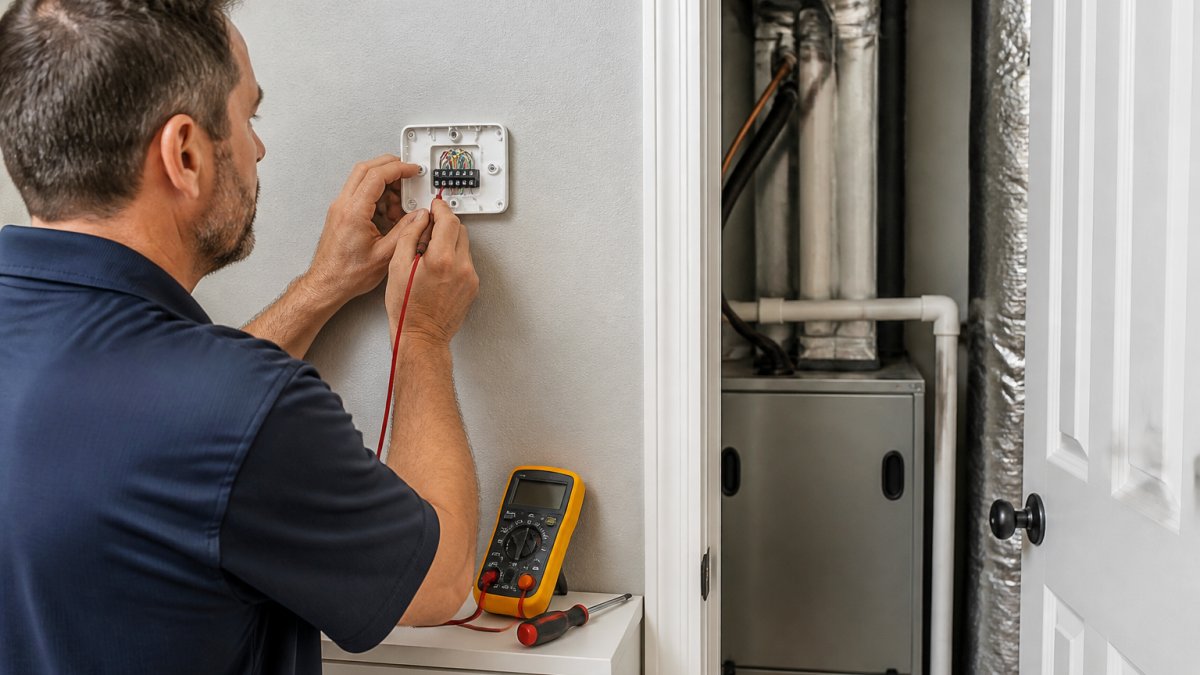
Here is how to check before you buy:
- Turn off power to your HVAC system at the breaker
- Remove your current thermostat faceplate
- Count the wires and note the terminal labels (R, W, Y, G, C, and others)
- Look up your system type: gas furnace, heat pump, or electric
- Cross-reference with the thermostat manufacturer's compatibility checker
If you see wires labeled O, B, or AUX, you likely have a heat pump. Not every smart thermostat handles heat pumps, and those that do sometimes require a jumper setting most homeowners miss.
Heat Pump and Multi-Stage System Considerations
Heat pumps need a thermostat that supports auxiliary and emergency heat staging. The Ecobee Premium and Honeywell T9 handle this well; budget models often do not.
Multi-stage systems, common in larger homes, need a thermostat that controls both stages of heating and cooling. Without staging support, your system runs less efficiently and utility bills climb. A licensed technician can identify your system type in minutes.
Smart Thermostat C-Wire Requirements Explained
Smart thermostat C-wire requirements are the number one installation obstacle homeowners run into: most smart thermostats need a continuous low-voltage power source that older thermostats never needed.
A C-wire is a low-voltage power wire that connects your thermostat to your HVAC system's control board, supplying constant 24-volt power so the thermostat can run Wi-Fi, a display, and sensors without relying on batteries.
How to Tell Whether You Already Have One
Before you buy anything, pull your current thermostat off its wall plate (power off at the breaker first) and read the terminal labels:
- R or Rc/Rh, 24V power from the transformer
- C, common wire, the one you are looking for
- W or W1/W2, heat stages
If a wire lands on C, most smart thermostats will install without modification. If the C terminal is empty, you have three realistic paths.
Your Three Options When There Is No C-Wire
1. Run a new C-wire from the air handler or furnace. This is the durable fix. A technician pulls a new multi-conductor cable from the control board to the thermostat.
**2.
3. Choose a thermostat designed to run without one. The Nest Learning Thermostat can often trickle-charge through existing wiring, and battery-powered models like the Sensi Touch 2 and Amazon Smart Thermostat sidestep the issue.
What a Missing C-Wire Actually Costs You
Homeowners underestimate this. A power adapter kit is inexpensive, but if you are not comfortable working inside the air handler, paying a technician to install it, or run a new wire, is where the real cost lives. Budget for a service call if you are not doing the work yourself, and treat the C-wire question as a purchase filter, not an afterthought.
The Heat Pump and Multi-Stage Wrinkle
If you see wires on O, B, or AUX, you almost certainly have a heat pump, which changes the C-wire conversation. Heat pump thermostats must manage reversing-valve logic and auxiliary/emergency heat staging, and not every budget model supports it.
Multi-stage systems, common in larger homes with two-speed compressors or two-stage furnaces, need a thermostat that commands both stages. A thermostat that controls only one stage runs your equipment less efficiently than designed, and you will feel it on the utility bill long before the thermostat screen.
Smart Thermostat with Room Sensors: Multi-Room Comfort
A smart thermostat with room sensors solves the problem of one room being too hot while another stays cold.
This matters most in:
- Two-story homes where upstairs and downstairs temperatures diverge
- Homes with rooms that get direct afternoon sun
- Finished basements or converted garages
The Ecobee Premium includes one sensor and supports more. The Honeywell T9 supports multiple sensors and lets you prioritize rooms by time of day, so your bedroom is comfortable at night and your living room in the evening.
Room sensors are not a gimmick. In our experience, they are one of the few premium features that deliver noticeable comfort improvements in homes with known hot and cold spots.
Smart Thermostat Energy Savings: What to Expect on Your Utility Bill
Smart thermostat energy savings come from three places: reduced runtime when nobody is home, tighter scheduling, and avoiding heating or cooling empty rooms.
Scheduling setbacks during work hours and overnight produce the most consistent reduction in energy use. Geofencing, which detects when you leave and adjusts automatically, can add to that.
What most guides miss: your thermostat can only optimize what your HVAC system can deliver.
In older homes, pairing a smart thermostat with a maintenance plan produces better results than the thermostat alone.
Privacy, Reliability, and Total Cost of Ownership
Most smart thermostat coverage stops at the spec sheet. The three things that determine whether you are happy two years from now, what the device knows about you, what happens when it fails, and what it really costs, get skipped.
What Your Thermostat Knows About You
A smart thermostat is a sensor package with a screen. Depending on the model, it may log:
- Occupancy patterns, when rooms are used, inferred from motion sensors or geofencing tied to your phone
- Temperature preferences, your setpoints by time of day and day of week
- Runtime data, how long your heating and cooling run, and when
Some manufacturers share anonymized data with utility demand-response programs, and some rebate programs require participation. That is how grid-balancing works, but you should know it is happening. Practical steps:
- Read the privacy policy before you buy. Look for whether data is sold, shared with third parties, or used for advertising.
- Check whether the app lets you disable data sharing or opt out of demand-response events.
- Use a unique, strong password and enable two-factor authentication. A compromised thermostat account can reveal occupancy patterns.
What Happens When It Fails
Reliability is where marketing claims and lived experience diverge. The realistic failure modes:
- Wi-Fi outage. Remote app control stops working, but the thermostat keeps running its last schedule and manual controls still work. This is why every model worth buying has physical controls.
- Cloud or app server downtime. Local scheduling continues, remote features do not. If your thermostat depends entirely on the cloud for scheduling, this is a real problem; if it stores schedules locally, it is a minor inconvenience.
- Sensor battery death. Room sensors and some thermostats run on coin cells or AA batteries. When they die, the thermostat drops that room from the average or reverts to the main unit's reading. Keep spares on hand.
The practical takeaway: buy a model with real physical controls, and do not rely solely on an app for basic comfort.
Total Cost of Ownership and Realistic Payback
The purchase price is the smallest part of the equation over a five-year horizon:
| Cost Factor | Typical Range | Notes |
|---|---|---|
| Thermostat purchase | $49 to $260 | One-time |
| Professional installation | Varies by home | Free estimates available; DIY is realistic for many standard systems |
| C-wire retrofit or adapter | Varies by home | Only if needed; a service call if you are not doing it yourself |
| Room sensors (if desired) | Varies by model | Often sold separately after the first included sensor |
| Ongoing subscription | $0 | No monthly fees required for most standalone models |
Unlike security-system-bundled thermostats, standalone models from Ecobee, Google, Honeywell, and Amazon carry no monthly fees. That matters over five years, a $5/month subscription is $300 you did not budget for.
On payback: be skeptical of any specific savings number, including ours. Savings depend on your climate, utility rates, home envelope, equipment, and how aggressively you use scheduling and geofencing. A smart thermostat is a comfort and control upgrade first, and an efficiency upgrade second.
Conclusion: Choosing the Right Smart Thermostat for Your Home
The right smart thermostat depends less on brand and more on your system type, wiring, and comfort priorities.
For whole-home comfort with room sensors, the Ecobee Premium delivers. For hands-off automation, the Nest Learning Thermostat is the simpler pick.
Get My Free Quote with Air CareSaver and let our technicians confirm your system is ready for a smart thermostat upgrade, or find out what needs attention first.
Frequently Asked Questions
Do smart thermostats work with every HVAC system?
No. Smart thermostat compatibility with HVAC systems varies by model. Most work with standard low-voltage systems (24V), but high-voltage electric baseboard heaters require specialized units like the Mysa. Heat pumps and multi-stage systems need specific wiring support. Before buying, check your system type, wiring configuration, and whether a common wire is present. A licensed HVAC technician can verify compatibility and handle installation correctly.
Do smart thermostats need a C-wire?
Most smart thermostats require a C-wire (common wire) to provide continuous power. Without it, some models need a power adapter kit or may drain batteries quickly. The Google Nest Learning Thermostat and Wyze Thermostat can sometimes work without a C-wire, but performance varies. If your home lacks a C-wire, an HVAC professional can run one or recommend a compatible model. Always confirm C-wire requirements before purchase.
Are room sensors worth it for a smart thermostat?
Room sensors help balance temperatures in homes with hot or cold spots. The Ecobee Smart Thermostat Premium includes sensors that prioritize occupied rooms, improving multi-room comfort. The Honeywell Home T9 also supports smart room sensors. If your bedrooms or living areas have uneven temperatures, sensors are worth the investment. For single-zone homes with consistent comfort, they offer less benefit. Consider your home layout and comfort priorities.
Can a smart thermostat help lower heating and cooling costs?
Smart thermostat energy savings come from automatic scheduling, occupancy detection, and reduced runtime when you're away. The Nest Learning Thermostat learns your habits and adjusts accordingly. Energy Star certified models like the Amazon Smart Thermostat meet efficiency standards. Actual savings depend on your climate, utility rates, and prior habits. Pairing a smart thermostat with regular HVAC maintenance and proper insulation maximizes savings. Air CareSaver offers free estimates to assess your system.
What should homeowners consider when choosing a smart thermostat?
Prioritize compatibility with your HVAC system, C-wire availability, and whether you need room sensors. Consider your smart home ecosystem (Alexa, Google, Apple HomeKit) for voice control and integration. Budget matters: options range from the $49 Wyze Thermostat to the $259.99 Ecobee Premium. Also weigh privacy policies, app reliability, and installation complexity. A licensed technician can confirm your system supports the features you want before you buy.